
Usage limit failover
When a connection reaches its usage limit a chat normally stops until the limit resets. Usage limit failover keeps the turn going by moving it to the next connection in an order you set.
Off by default
Failover is opt-in. Nothing moves between your connections until you turn it on, because changing which account a chat bills to without being asked is the larger version of changing its model without being asked.
Turning it on
Open Settings, then the Models tab, and turn on Keep going when usage runs out. The chain of connections appears underneath once it is on, since where a chat should go is only a question after you have said it should go anywhere.
The setting belongs to your profile, not to one project and not to the machine. A profile that pins a sensitive project to its own connection carries its own answer to this, so failover can be on for your everyday work and off where a chat must never leave the route you chose.
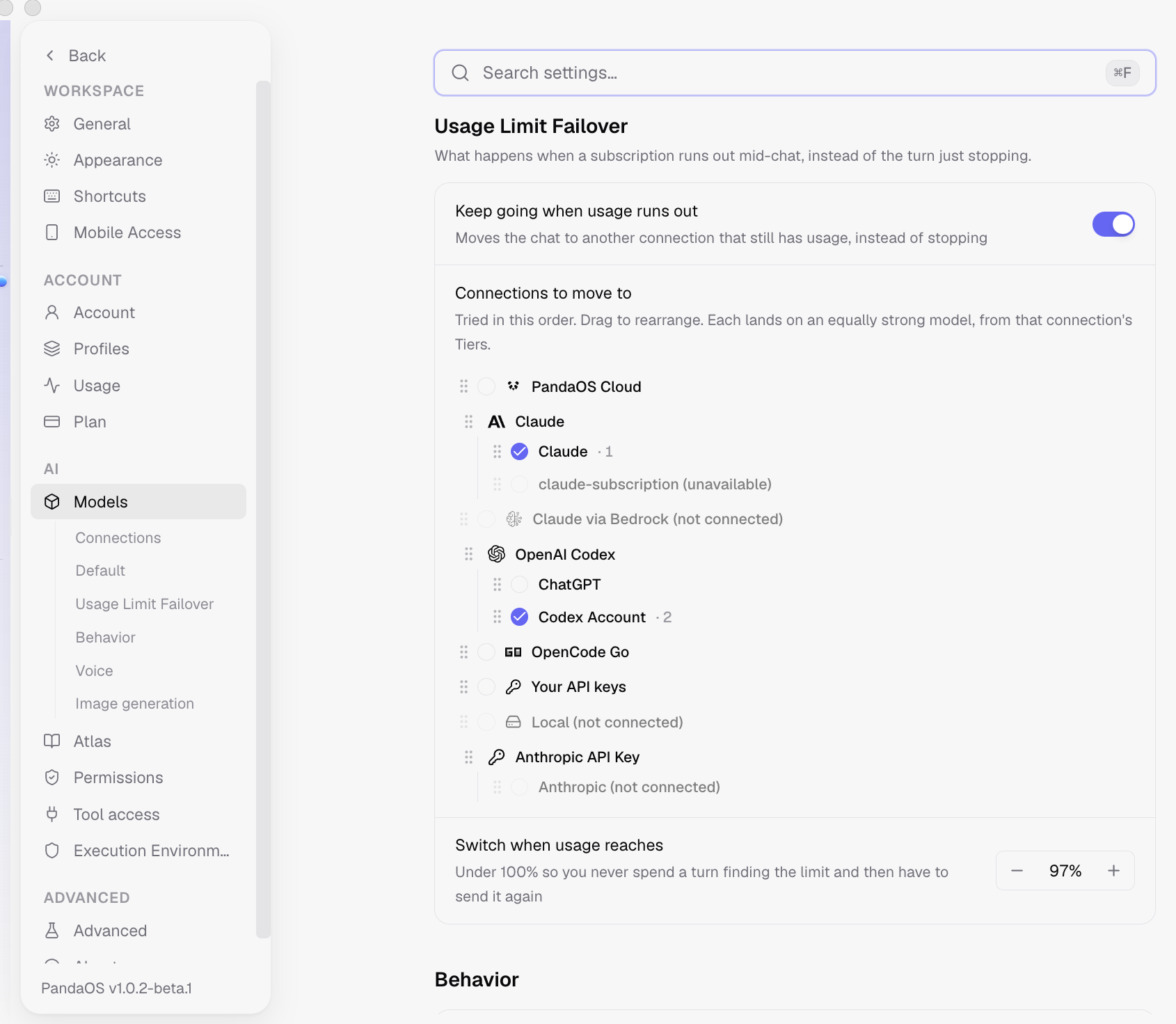
Ordering the chain
The list on screen is the order. PandaOS walks it from the top and takes the first link that is neither where the chat already is nor itself out of usage, so a chat that has burned through two links lands on the third rather than bouncing between the first two.
- Drag connections into the order you want them tried.
- Add a second account of the same provider if you have one. — It counts as its own link, so two Claude logins are two places to go.
- Switch off any link you would rather it skipped. — It stays listed so you can see it exists, and is passed over.
What you see when a chat moves
The move happens as a turn goes out, not the moment a background check notices the limit. Rebinding a chat mid-read, when you have asked for nothing, would change the connection under you; doing it as you send costs the same and follows something you just did.
From then on that chat runs on the new connection and its usage is counted there. It does not move back on its own when the original limit resets.
If every link in the chain is spent, the chat stops the way it would have without failover.
Connections
A connection is one route to a model: PandaOS Cloud, your own provider key, a local model, or another agent backend. You can have several set up at once and move a chat between them whenever you like.
What are Apps
Apps give PandaOS both a set of actions and a live workspace UI for every connected service, tied together by Spotlight.