
Connections
Choose where Panda's models come from, set up several, and move a chat from one to another.
Feature Updated 20 Nov 2026What a connection is
A connection is one route to AI models. That can be PandaOS Cloud, a subscription you already pay for, your own API key, or a model running on your computer. Set up several at once. Each chat remembers the one it runs on, so a research chat and a client chat can sit on different routes at the same time.
A new chat opens on your default connection. Changing a chat's connection changes that chat, never the default.
Where to find them
Open Settings, pick Models, and look under Connections. They are sorted into four tabs: PandaOS, Subscriptions, API keys and Custom. An organization can limit which of them its members see.
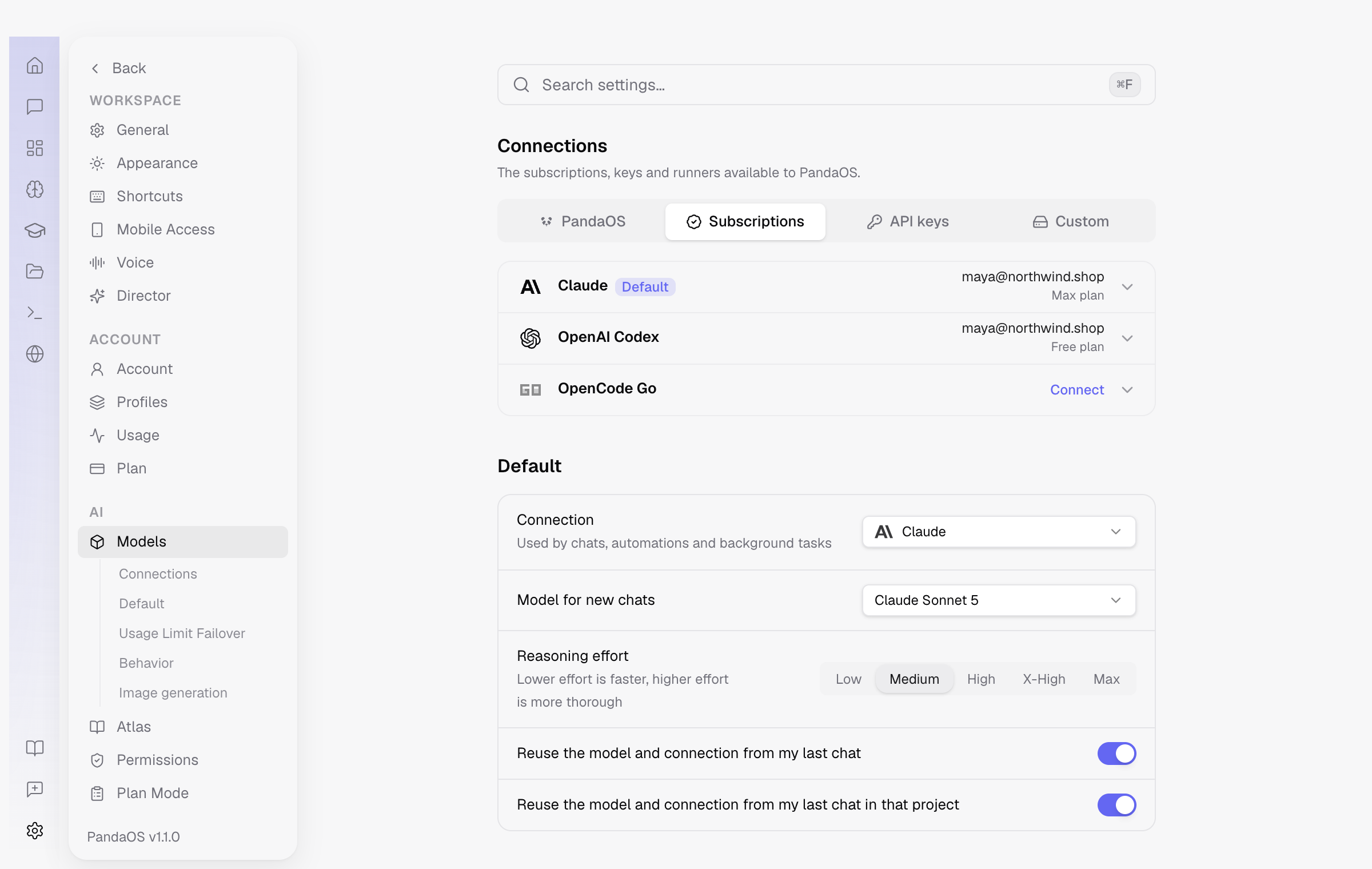
Ways to connect
| Connection | Tab | What it is |
|---|---|---|
| PandaOS Cloud | PandaOS | Run by PandaOS, with nothing to set up. Uses your plan usage. |
| Free Mode | PandaOS | Pools the free tiers of several providers, through free accounts you connect yourself. Needs no plan. |
| Claude | Subscriptions | Your Claude subscription. |
| OpenAI Codex | Subscriptions | Your ChatGPT account or an OpenAI API key, billed by OpenAI. |
| OpenCode Go | Subscriptions | A subscription from opencode.ai. |
| Your API Keys | API keys | Your own keys for the providers in the list. You choose which models each one shows. |
| Anthropic with Agent SDK | API keys | Your own Anthropic key, paid by use. |
| Claude on AWS Bedrock | API keys | Claude through your AWS account, with a bearer token and a region. |
| Local & custom endpoints | Custom | Ollama, LM Studio, KoboldCpp and llama.cpp found on your computer, or any OpenAI-compatible address you add. |
Inside a connection
Opening a connection shows its setup and switches nothing. Make default inside it makes it the connection new chats open on. Each one has three tabs:
| Tab | What you do there |
|---|---|
| Account | Sign in, paste a key, or add a region. A connection can hold several accounts, so a work login and a personal one sit side by side and you pick which is active. |
| Models | Choose which of the connection's models show in your pickers. |
| Tiers | Say which model each tier runs. See Models. |
Switching a chat
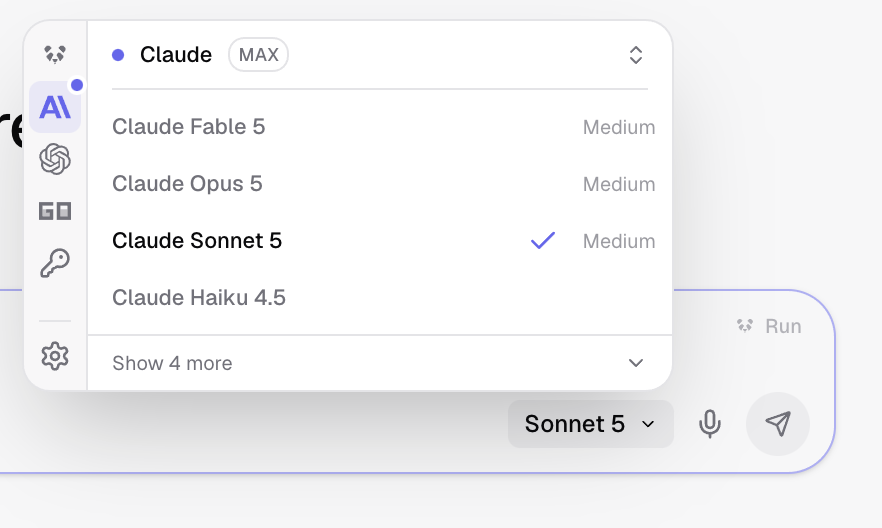
- Click the model name in the message box.
Your connections are the icons down the left of the menu. Hover one to see its name. - Pick another connection on the left, then one of its models.
The conversation carries over. Nothing is re-sent. - Carry on.
The next turn runs on the new route.
Permissions do not follow the connection
Tool access and the execution environment stay as they are, so switching route never widens what the app may do.
What changes when you switch
- Usage is counted on the connection that ran the turn.
- The models on offer change, because each connection offers its own.
- Your rules, knowledge and agents stay the same.
When one runs out
A connection that reaches its usage limit stops the chat until the limit resets. The exception is usage limit failover: switched on, it moves the turn to the next connection you have listed.
When a chat is stopped this way, a dialog offers the ways to keep going. Subscriptions you may already have come first, and one that is already connected switches the chat over in one click. The same dialog offers to turn failover on for next time.
The engine behind each connection
A model only writes text. The engine, sometimes called the harness, is the program that turns that text into actions: editing files, running commands and calling your apps. Each connection runs on one of three engines.
| Engine | Connections |
|---|---|
| Claude Code | Claude, Anthropic with Agent SDK, Claude on AWS Bedrock |
| OpenCode | PandaOS Cloud, Free Mode, Your API Keys, local and custom endpoints, OpenCode Go |
| Codex | OpenAI Codex |
Your connected apps, skills and project rules come from PandaOS, not from the engine, so they come with you when a chat changes connection.