
Help & feedback
Send a bug report or a feature request to the PandaOS team without leaving the app.
How-to guide Updated 20 Nov 2026What you get
Your report reaches the PandaOS team with what makes it fixable: what you did, what you expected and what happened instead. For a bug, PandaOS can investigate first and write the report with you. To look something up rather than report it, ask in any chat: Panda reads this documentation and answers from it.
Send a report
You need: to be signed in to PandaOS.
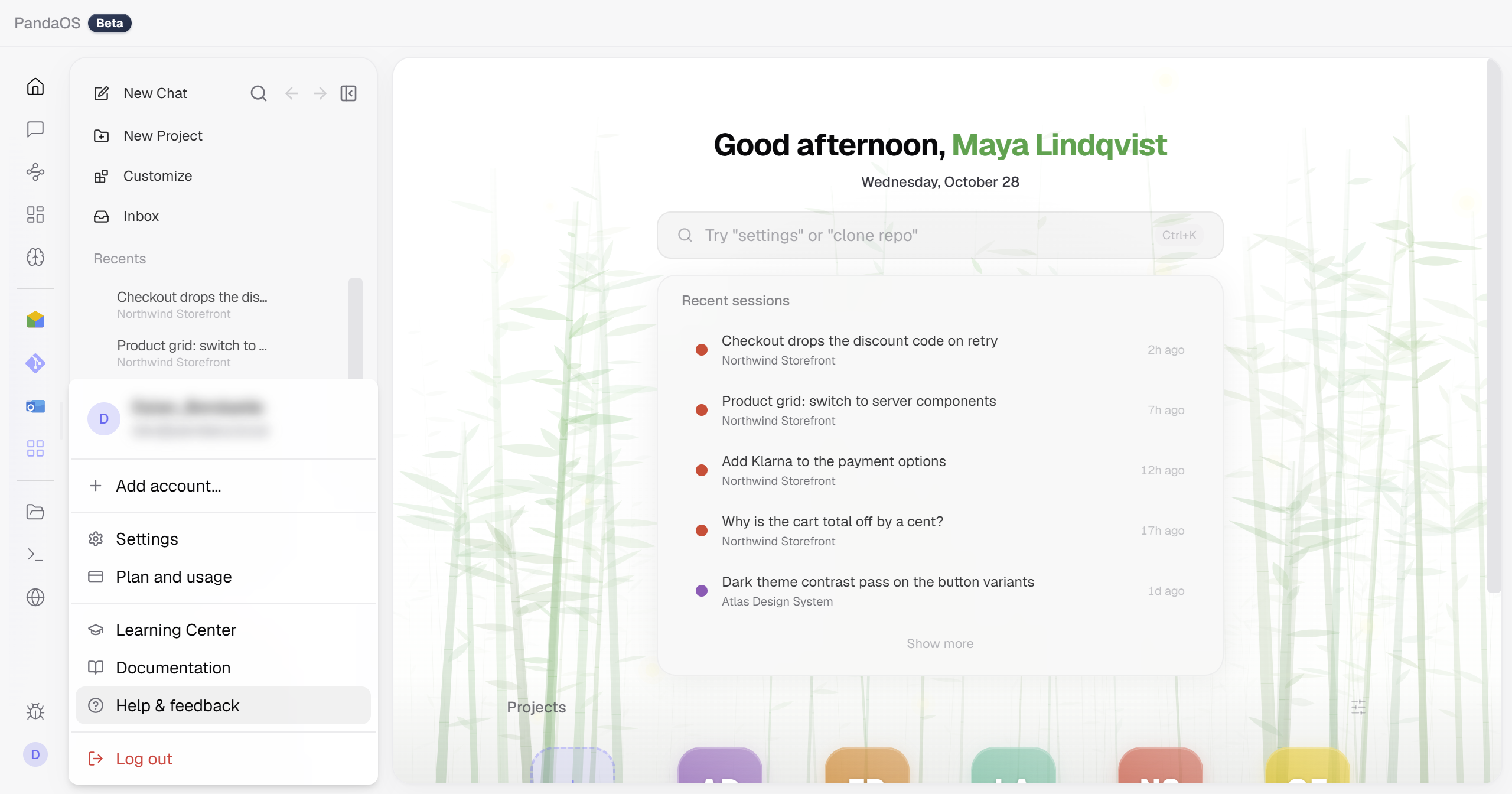
- Click your account circle at the end of the dock.
It shows your picture or initial, or the panda mark when there is none. The account menu opens. - Choose Help & feedback, the entry with the question mark.
The Send feedback dialog opens and asks What would you like to tell us? - Choose Report a bug or Request a feature.
- For a bug, describe what went wrong and press Continue in a new chat, or pick Fill in the form myself.
In the new chat, PandaOS reads the app's own logs, asks for anything it still needs, and files the report only after you approve it. - Fill in the form and press Submit bug report or Submit request.
When it worked
The dialog closes and a message says Bug report submitted or Feature request submitted.
Submitting says "Please sign in to submit feedback"
Feedback is sent with the PandaOS account you are signed in to. Sign in from the account menu behind your account circle, then submit again.
A file will not attach
A report takes up to three files of your own, each 1 MB or smaller and 2 MB together. Make the file smaller. On a bug report, Logs and Screenshot work instead, and PandaOS captures them for you.
Finding answers first
The Send feedback dialog is for sending feedback and has no search of its own. To look something up, ask in any chat: PandaOS reads its own documentation and answers from it.
What the forms ask for
Each form asks for what makes that kind of report clear.
Fields
| Report a bug | Request a feature |
|---|---|
| Summary, up to 256 characters | Summary |
| Severity: Low, Medium, High or Critical, starting on Medium | The problem |
| Steps to reproduce | What you would like |
| What you expected | Intended use case |
| What actually happened | How much would this help?: Nice to have, Would help a lot or Blocking me |
| Anything else, optional | What you do instead today, optional |
Attachments
Screenshot, Logs and Recent chat come with bug reports only. Your own files work on both forms.
| Attachment | What it adds |
|---|---|
| Screenshot | The state of the app. The dialog hides itself for the shot. |
| Logs | App, update and crash logs from the last runs. |
| Recent chat | The last 10 messages of the open chat. |
| Your own files | Up to three, 1 MB each and 2 MB together. |
System information
Every report carries a collapsible System information (attached automatically) section with the app version, the Electron and Node.js versions, and your operating system and architecture. Open it to see exactly what is sent.