
Using skills
A packaged workflow you can call by name.
A skill is not a rule
A rule shapes every message in the background. A skill is invoked, does a specific job, and stops. "Always use conventional commits" is a rule; "write this commit" is a skill.
Run one
- Type
/in the chat to see what is available. — For example/git-commitor/security-review. - Or just describe the job. — A matching skill is picked up on its own when what you asked for fits one.
What ships with it
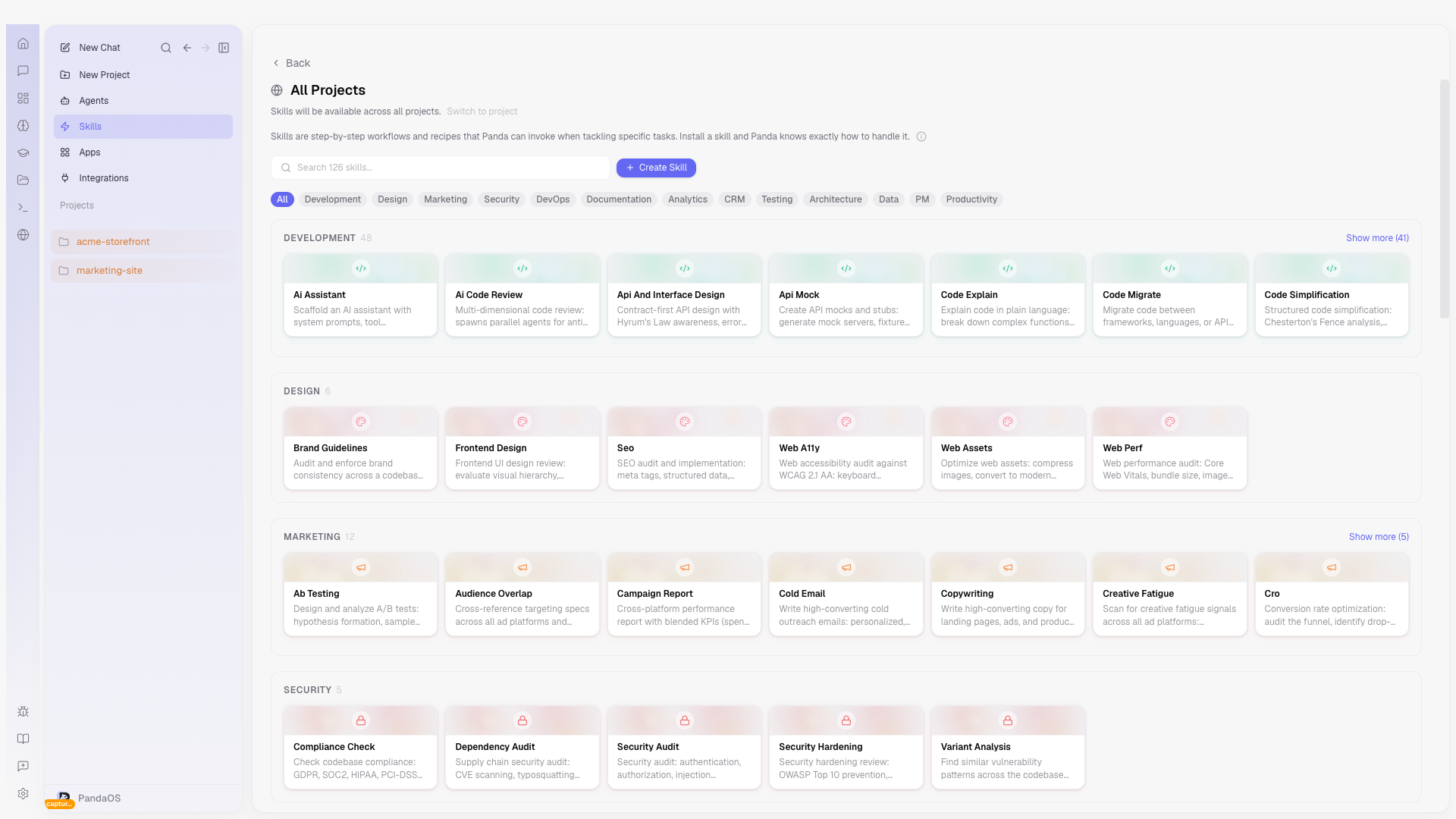
A catalogue of ready-made skills covers the recurring work: code review, git, test-driven development, frontend design review, security audits. They are maintained with the app, so improvements arrive without you copying anything.
Skills vs. rules
Rules shape how PandaOS behaves passively across every interaction: coding conventions, naming patterns, tone preferences. They apply in the background without being invoked.
Skills are active: they run on demand to accomplish a specific task. A rule might say "always use conventional commit format," while a skill walks through the full commit workflow: analyze changes, draft a message, stage files, and create the commit. Rules set guardrails; skills execute playbooks.
The built-in catalog
PandaOS ships with a catalog of ready-made skills covering common development workflows: code review, git operations, test-driven development, frontend design evaluation, security audits, and more. Each catalog skill is maintained and updated with the platform, so improvements arrive automatically.
Installed skills are available across all your chats and projects immediately. You only need to install the ones relevant to your workflow since unused skills never interfere with normal conversations.
Running a skill
There are two ways to trigger a skill:
- Slash commands - Type
/in the chat input to see available skills, then select one (for example/git-commitor/security-review). This is the explicit path: you know which workflow you want and invoke it directly. - Automatic matching - Describe what you need naturally. When your request aligns with an installed skill, PandaOS recognizes the match and runs the skill's methodology without being told which one to use. For example, asking "review this PR for security issues" activates the security review skill automatically.
Skills also power Agents. When a specialized agent picks up a task, it invokes the appropriate skills behind the scenes, chaining multiple workflows together to complete complex work.
Creating custom skills
When the catalog does not cover a workflow specific to your team or project, you can create a custom skill. A custom skill defines the task objective, the step-by-step methodology, and any constraints or output formats.
For example, a team might create a "database migration review" skill that checks for backward compatibility, verifies rollback procedures, and flags missing indexes, specific to their schema conventions. Once saved, a custom skill behaves identically to a catalog skill: it appears in the slash command menu and can be matched automatically.
Because skills are stored with your project, everyone working in the same project shares the same workflows. This turns individual expertise into team capability: a senior engineer's code review checklist becomes a skill that every team member can invoke.
Plugins
The Skills view also shows installed plugins, third-party extensions from the Claude Code marketplace. Each plugin shows its name, version, description, and a link to its homepage.
Skill frontmatter
| Field | Description |
|---|---|
description | What the skill does (shown in the skills list) |
model | Which model the skill runs on |
user-invocable | Whether users can trigger it with /command |
disable-model-invocation | Prevent PandaOS from auto-invoking |
agent | Reference to a custom agent |
allowed-tools | Restrict which tools the skill can use |
argument-hint | Hint shown when the user types the command |
The body is the prompt sent to PandaOS when the skill is invoked.