PandaOSPandaOSby Pandata
Apps & Integrations

Actions and permissions

What a connected app may do on its own, and what it has to ask about first.

Ask is the useful middle

Auto for reading, Ask for anything that leaves the building, an email or a deployment. Off removes the tool entirely rather than hiding it.

The Actions switch

Every connected app has one. On, and its tools are available to PandaOS. Off, and they are gone: the account stays connected, but nothing can be done with it.

Per tool

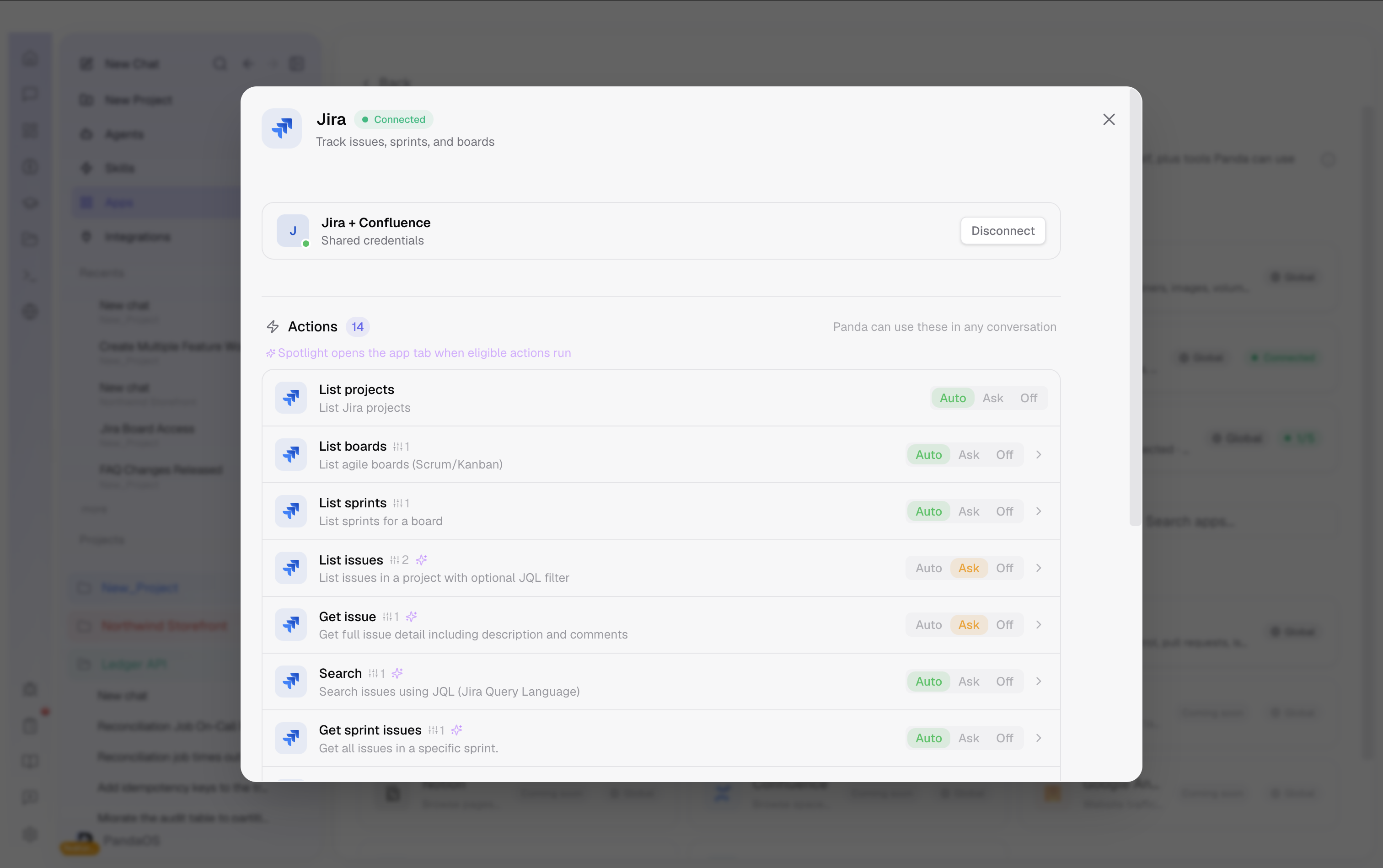
With Actions on, each tool sits at one of three levels.

  • Auto. Runs when the task calls for it. Right for reading.
  • Ask. Waits for you every time. Right for sending and deploying.
  • Off. Not available at all.
An app's Actions list: each tool set to Auto, Ask or Off.

Spotlight

An app with a tab also has a Spotlight toggle, which decides whether that tab opens when PandaOS uses the app, so you can watch the work or leave it alone.