
MCP servers
Add a tool server and PandaOS can use whatever it exposes.
Three scopes, three files
Global servers work in every project. Project-shared servers live in
.mcp.jsonin the project and are committed, so the team gets them. Project-local servers stay on your machine only. PandaOS keeps each scope in the right place for whichever harness the project is running.
Add one
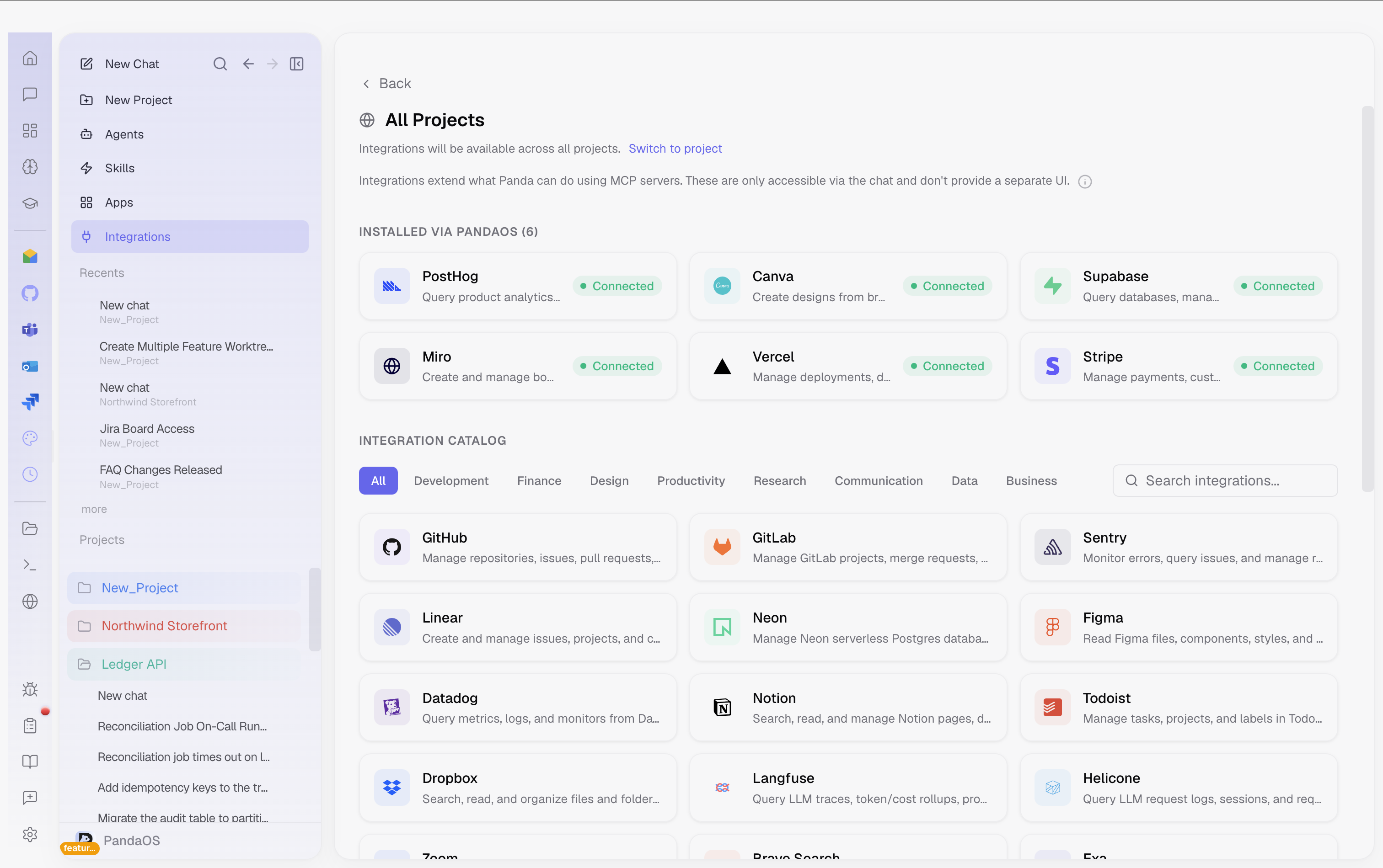
- Open Customize in the sidebar and pick Integrations.
- Paste a server URL, a JSON config, or a CLI add command. All three forms are understood, and the parsed servers are previewed before anything is saved. — JSON and the CLI form are both understood, and the parsed servers are previewed before anything is saved.
- Connect it if it needs authenticating.
What you see
Each server shows a status dot, green for on, grey for off, red for an auth error, amber while authenticating; an icon for its kind, a globe for remote and a terminal for local; and where its configuration came from. You can disable one without removing it.
The built-in one
PandaOS runs its own pandaos-browser server whenever the browser preview is open, which is what lets it navigate, click, type and screenshot your running app. It starts and stops with the panel.
Scopes
- Global servers, available in all projects. Stored in
~/.claude.json. - Project-shared servers, only for that project, committed to git. Stored in
.mcp.jsonin the project root. - Project-local servers, only for that project, personal (not committed). Stored in the projects section of
~/.claude.json. - In project view, global servers appear with an "Inherited" badge.
Built-in: Browser MCP
PandaOS automatically manages a Browser MCP server (pandaos-browser) when you open the Browser Preview panel. This server:
- Starts automatically when the browser preview opens
- Stops automatically when the browser preview closes
- Gives PandaOS tools to navigate, click, type, screenshot, and interact with your app
- Registers itself in your PandaOS configuration automatically
You don't need to configure this manually, it's handled by PandaOS.
Common MCP Servers
Here are some popular MCP servers you might want to add:
| Server | Package | What It Does |
|---|---|---|
| Filesystem | @modelcontextprotocol/server-filesystem | Direct filesystem access |
| GitHub | @modelcontextprotocol/server-github | GitHub API access |
| PostgreSQL | @modelcontextprotocol/server-postgres | PostgreSQL queries |
| Brave Search | @modelcontextprotocol/server-brave-search | Web search via Brave |
| Memory | @modelcontextprotocol/server-memory | Persistent knowledge graph |