
Atlas
Let PandaOS keep a knowledge base of your past work, so a later chat finds what was already decided.
Feature Updated 18 Nov 2026Warning: keep secrets out with Ignore rules
A project holding credentials, customer data or copied-in libraries has files Atlas should never read. List them under Ignore rules.
What it is
Atlas is a knowledge base PandaOS writes for you out of your chats and code: the decisions, the problems and how each project is built. You do not maintain it. A chat months from now can look up what was already worked out instead of asking you again. On Community, Atlas watches one project.
Where to find it
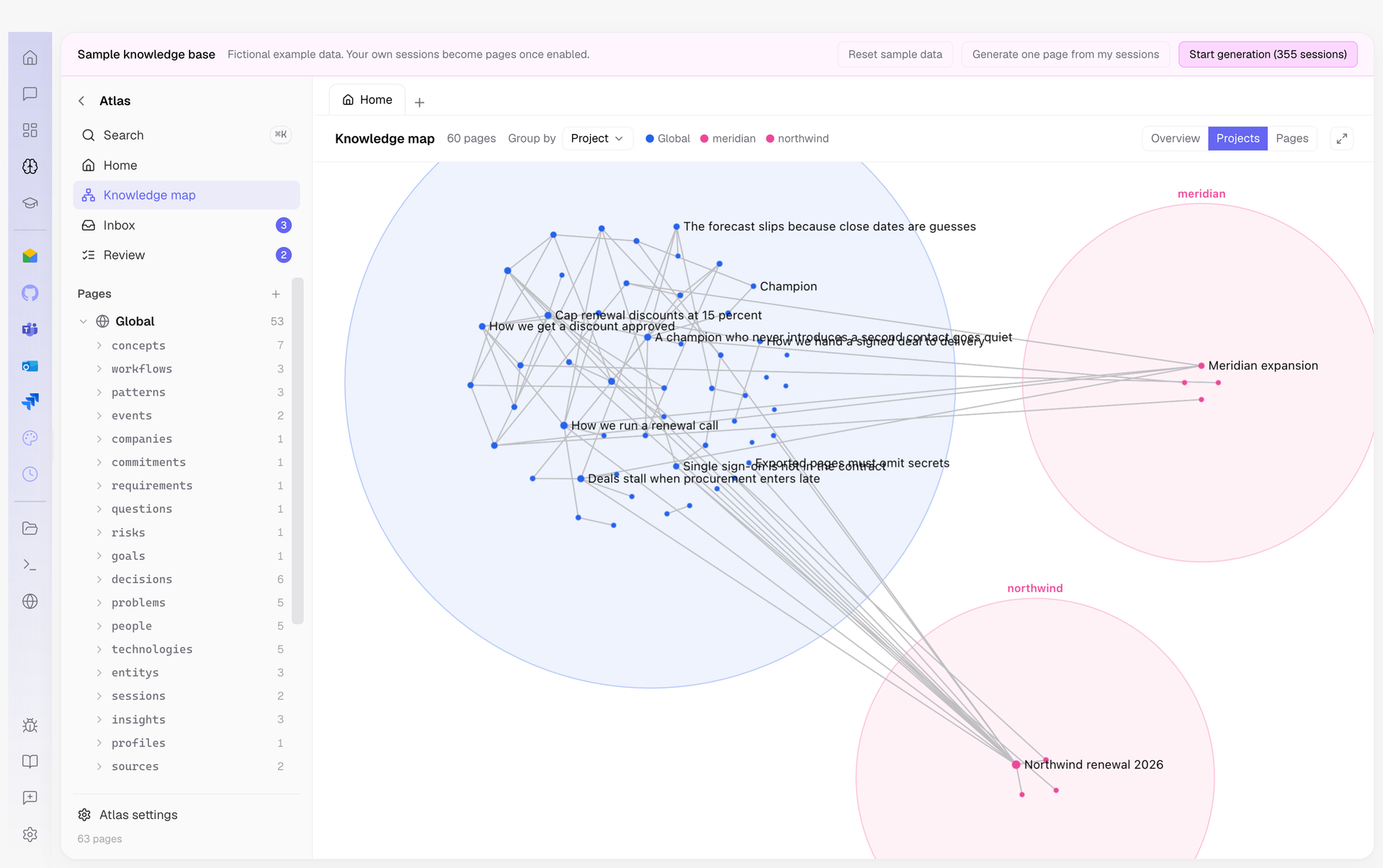
Open Atlas in the dock to read it. Knowledge map shows every page, grouped by the project it came from. Its settings are under Settings, Atlas.
How Panda uses it
Panda searches Atlas when a question needs your past work, and a fact you ask it to remember is saved there. Ground every message adds the best matches to every message, which uses more of the chat's context. Let agents save and edit decides whether chats may add and correct pages.
What it reads
- Watched projects: the projects whose chats and code feed the knowledge base.
- Ignore rules: what Atlas never reads. Nothing excluded there is sent to a model, indexed or written into a page.
- Connected sources: summaries of your designs, Google Calendar meetings, starred Gmail threads and recent Google Drive documents, never their full content. Each one has its own switch.
What it costs
Atlas writes in the background, not inside your turn, so it never holds up the answer you are waiting for. Connection picks the account that work runs on. Under Spend, Daily cap pauses writing once today's spend reaches it, and Monthly cap at 0 means no limit. Intensity set to Eco runs only the maintenance that costs nothing.
Share, pause or delete
Knowledge leaves as files, never as a link online. Export vault writes a folder that opens in Obsidian, a bundle and an AGENTS.md file to your Downloads.
Turn off Atlas enabled to pause writing. The pages stay readable in Atlas. Chats stop using it unless Tools while paused is set to Answer from frozen corpus. Delete knowledge base archives the whole vault away.