
Skills
Call a written method by name with /, or let Panda use it when your request fits.
Feature Updated 18 Nov 2026What a skill is
A skill is a written method Panda follows for one job, such as writing a commit or reviewing code for security problems. You call it when you need it, it does that job, and it stops. Use one when you keep explaining the same steps to Panda.
A rule is different: it applies to every message in the background. "Always use conventional commits" is a rule. "Write this commit" is a skill.
Where to find them
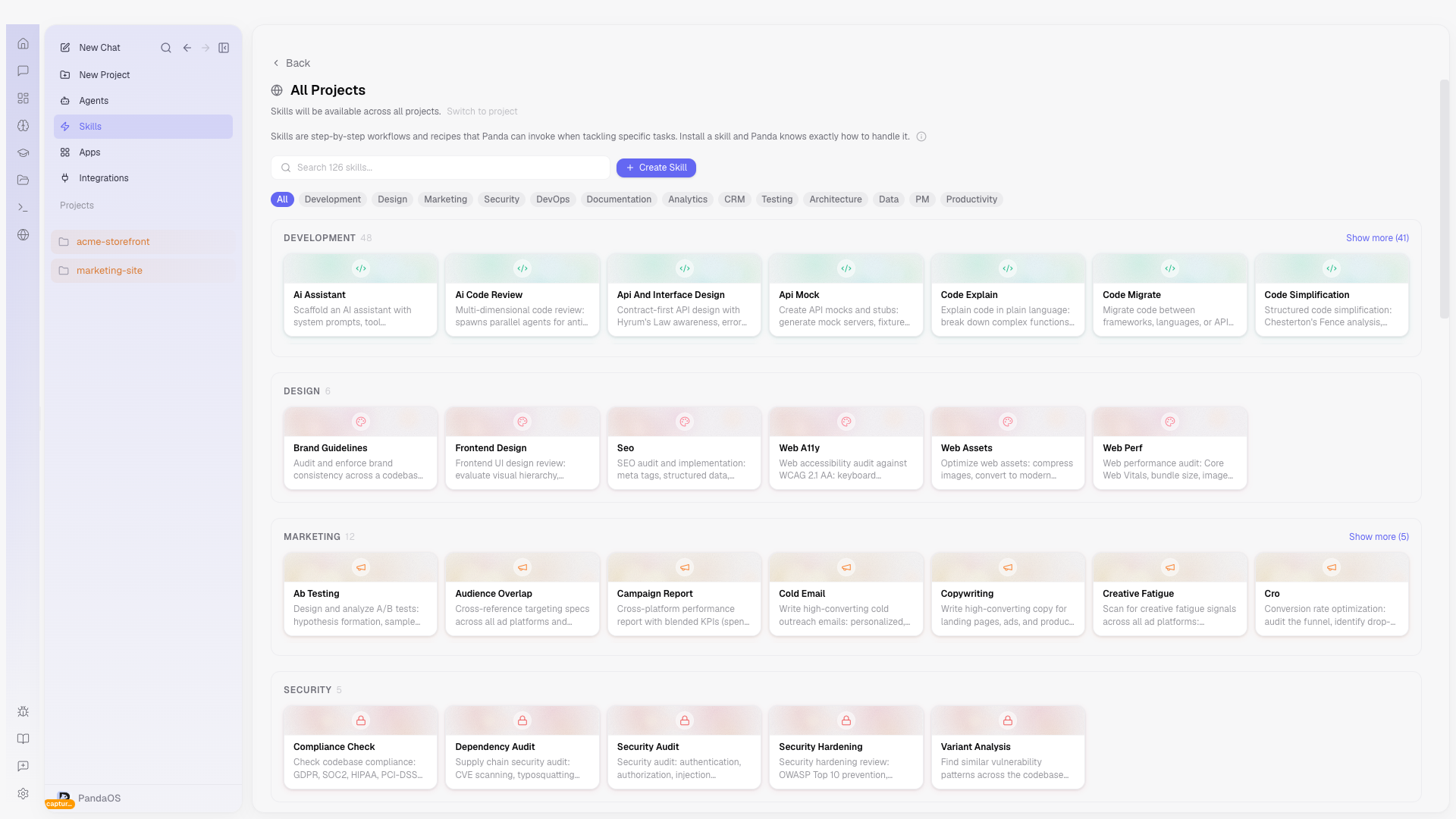
Open Customize in the sidebar and pick Skills. Yours lists the skills you have, each with where it works. Turn on Group by project to group them. Skills PandaOS installs for itself are not listed.
Explore lists ready-made skills to add. New skill at the top right writes a new one, see Writing a skill.
Run one
- Type / in the message box and pick the skill, for example
/git-commit. - Type @ and pick it under Skills. See Mentions and commands.
- Or describe the job. When your request fits a skill's description, Panda uses that skill without being told which one.
Ready-made skills
PandaOS comes with ready-made skills, grouped into areas such as development, testing, security, design, data and documentation. Find them on Explore and add only the ones you need. A skill you have not called stays out of the way.
Skills work in every chat, with or without an agent. A plugin adds several at once for one kind of work.
Or ask in a chat. Panda can list the ready-made skills, install or remove one, and write a new one for you. A skill Panda writes appears on a card, and nothing is saved until you press Save. See Customize from chat.
Plugins
Plugins have their own section in Customize. A plugin bundles everything for one kind of work, such as the Panda for ... plugins: skills, sometimes agents, and the apps and connectors they use. Add puts all of it in at once. See Plugins.