
Worktrees
A worktree is a second checkout of the same repository on another branch, in its own folder. Two branches of one project can be open side by side with nothing to stash.
Worktrees for parallel branches
When you want two branches in flight at once, ask PandaOS to work on something in a worktree. It creates a git worktree in its own folder, registers it as a linked PandaOS project, and switches you to it, so a long refactor and a quick fix stop taking turns on one checkout.
A fresh worktree from plain git is usually not runnable, because everything gitignored is missing. PandaOS hydrates the new worktree by copying the gitignored files the project needs (.env, credentials config, .mcp.json and similar) from the parent checkout, and can run your setup command afterwards. It only ever copies files git already ignores, and it asks before the first copy. If the list of what would be copied changes later, it asks again rather than quietly applying the new list.
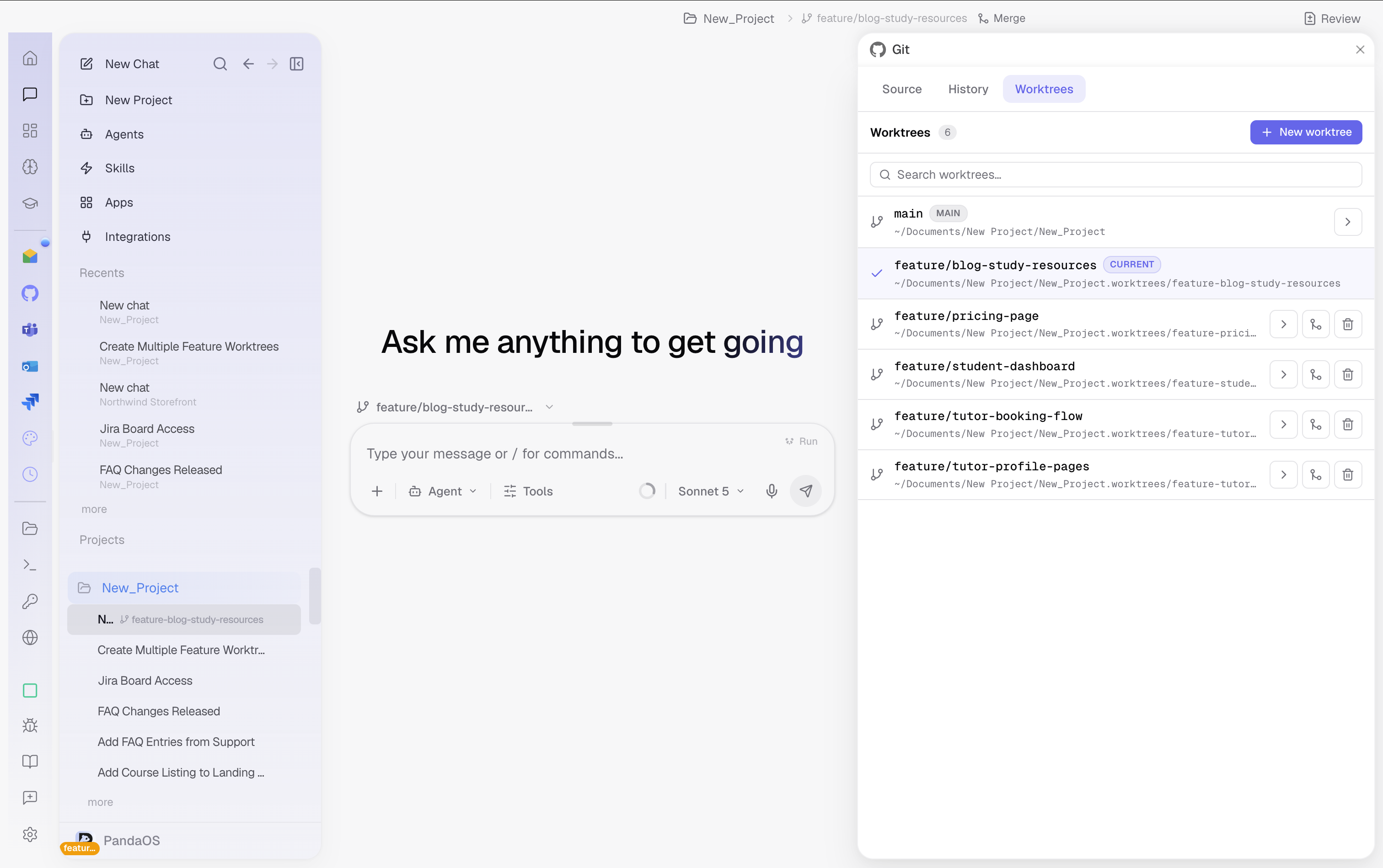
Start a chat in one
The quickest way in is the run-target pill above the composer on a new chat. It offers This folder or any worktree, and it creates one on the spot, so a second branch is a choice you make when you start the conversation rather than a detour before it.
The pill only shows on an empty chat. Once the chat has a message, the branch icon in the sidebar and the header is what tells you where it is running.